









Published 09 January 2026
Last Updated 28 April 2026

We've Reviewed and Rated the Best ID Card Printers for High-Quality Card Issuance
Security is crucial for organisations of all sizes, and your identification set up is a huge part of that. With a number of ID card printers on the market, deciding which badge printer is best for you can be difficult. That's why ID Card Centre has reviewed and rated a number of direct-to-card printers, based on real factors that we know impact an business's decision.
We look at factors such as reliability, print quality, cost of ownership, and access control technology capabilities – all of which make up the ideal reliable ID card printer.
Our Best ID Card Printer Recommendations
Based on our own research, these are our top picks for different use cases and budgets.
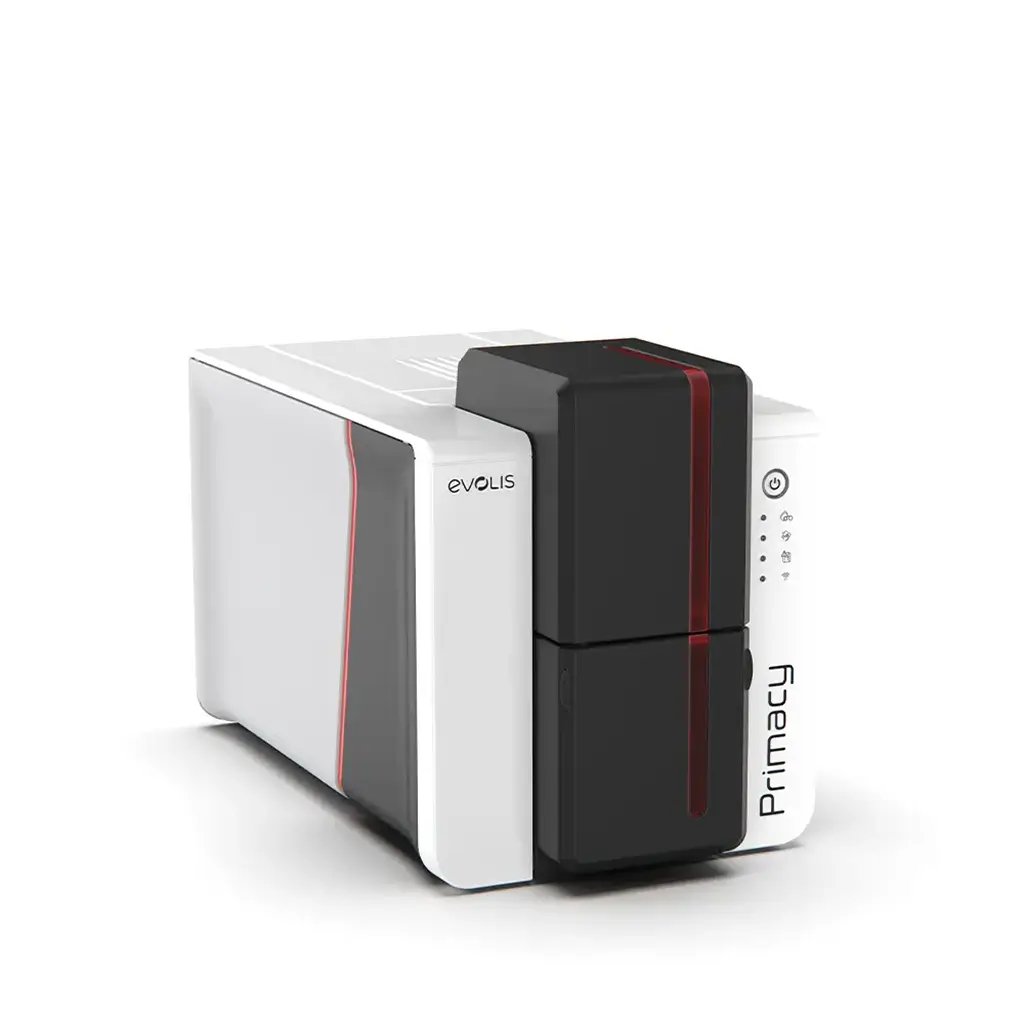
Evolis Primacy 2
The Evolis Primacy 2 is designed for efficiency, flexibility, and crisp, high-quality prints, with batch production modes available.
- Secure data protection features
- Variable speed modes available
- 600dpi quality and colour profiles
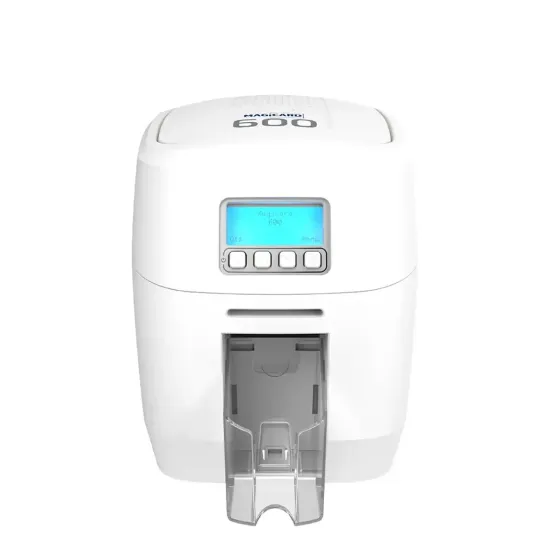
Magicard 600
A professional, durable printer with fast throughput speeds, quality output, and unrivalled 4-year warranty for additional reassurance.
- Free upgrade to double-sided
- USB, WiFi and Ethernet connectivity
- Realistic photo ID card production
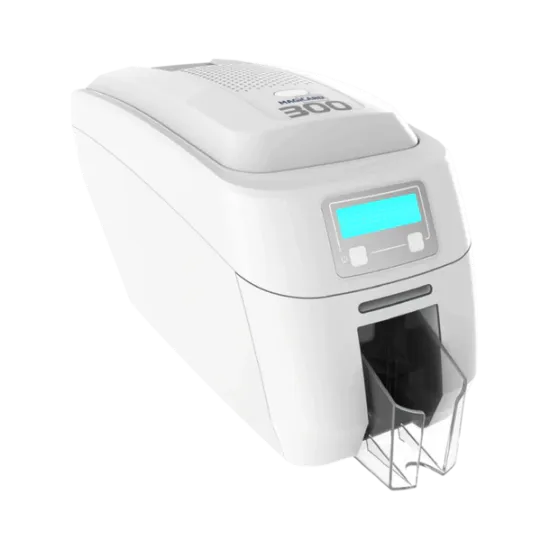
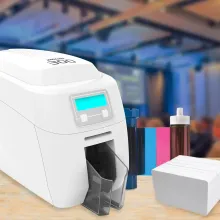
Magicard 300
The Magicard 300 ID card printer offers card production with ease thanks to its user-friendly interface and double sided printing as standard.
- 300 dpi quality
- Built-in security watermarks options
- Encoder modules available
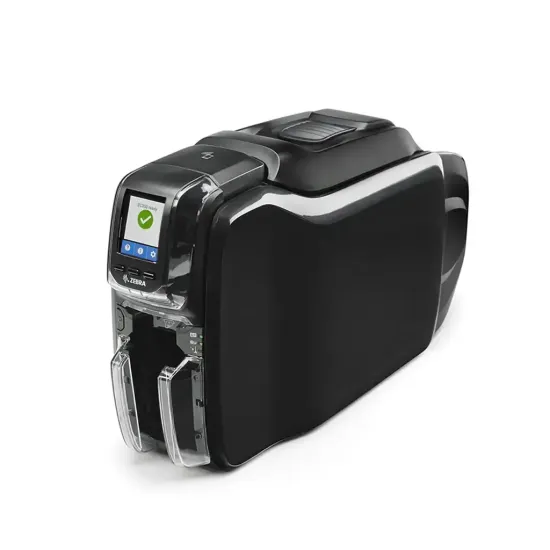
Zebra ZC350
The Zebra ZC350 offers single and double sided prints, ideal for small businesses and medium to large businesses alike.
- 300 dpi quality
- Built-in security watermarks options
- Encoder modules available
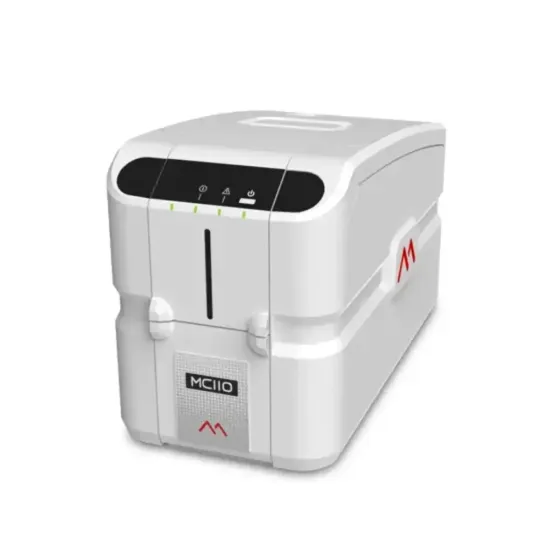
Matica MC110
An ideal entry level printer, the Matica MC110 is a secure, affordable solution for plastic ID cards or personalised membership cards.
- Cost-effective card production
- Simple plug-and-play operation
- 2-year warranty
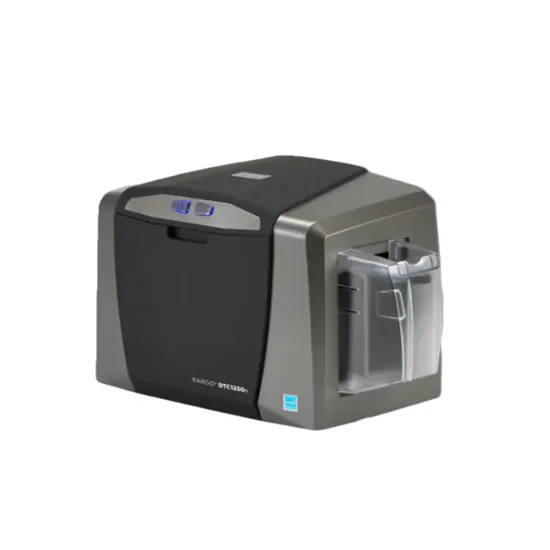
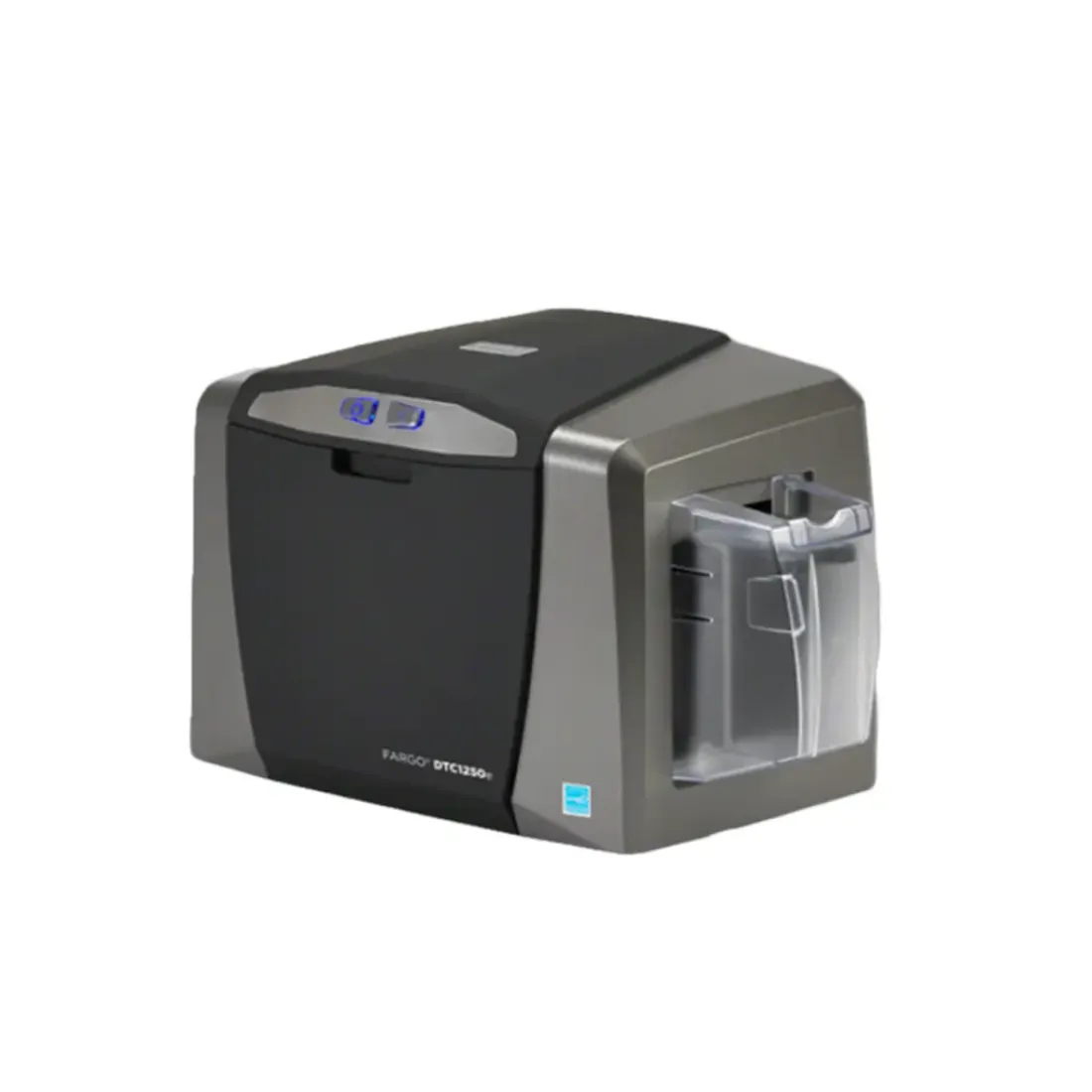
Fargo DTC1250e
If you're looking for the best ID card printer for small, seamless print jobs, the HID Fargo DTC1250e is ideal for users of all capabilities.
- Standard card size
- Free software included
- Easy ribbon installation
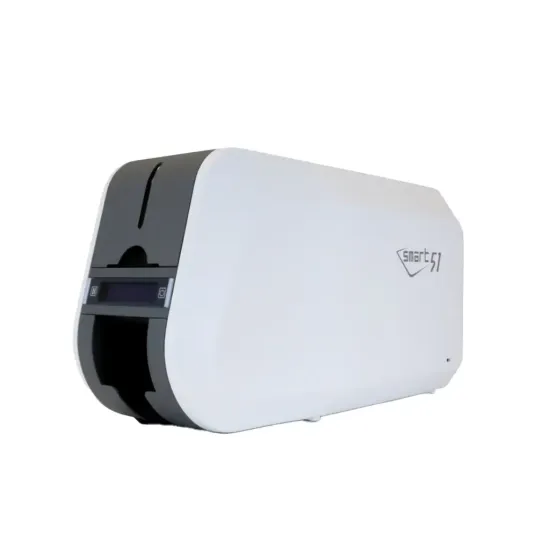
IDP Smart 51
The IDP Smart 51 is a reliable, efficient machine designed to print ID cards, staff badges, and access control cards for medium-large businesses.
- Automatic card feeding
- Lamination option available
- Quiet noise output
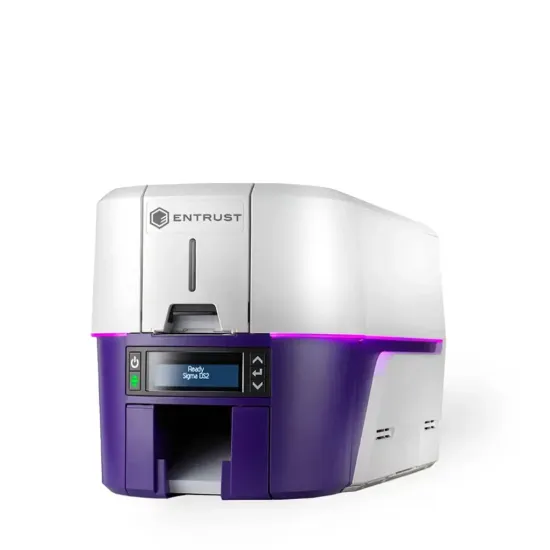
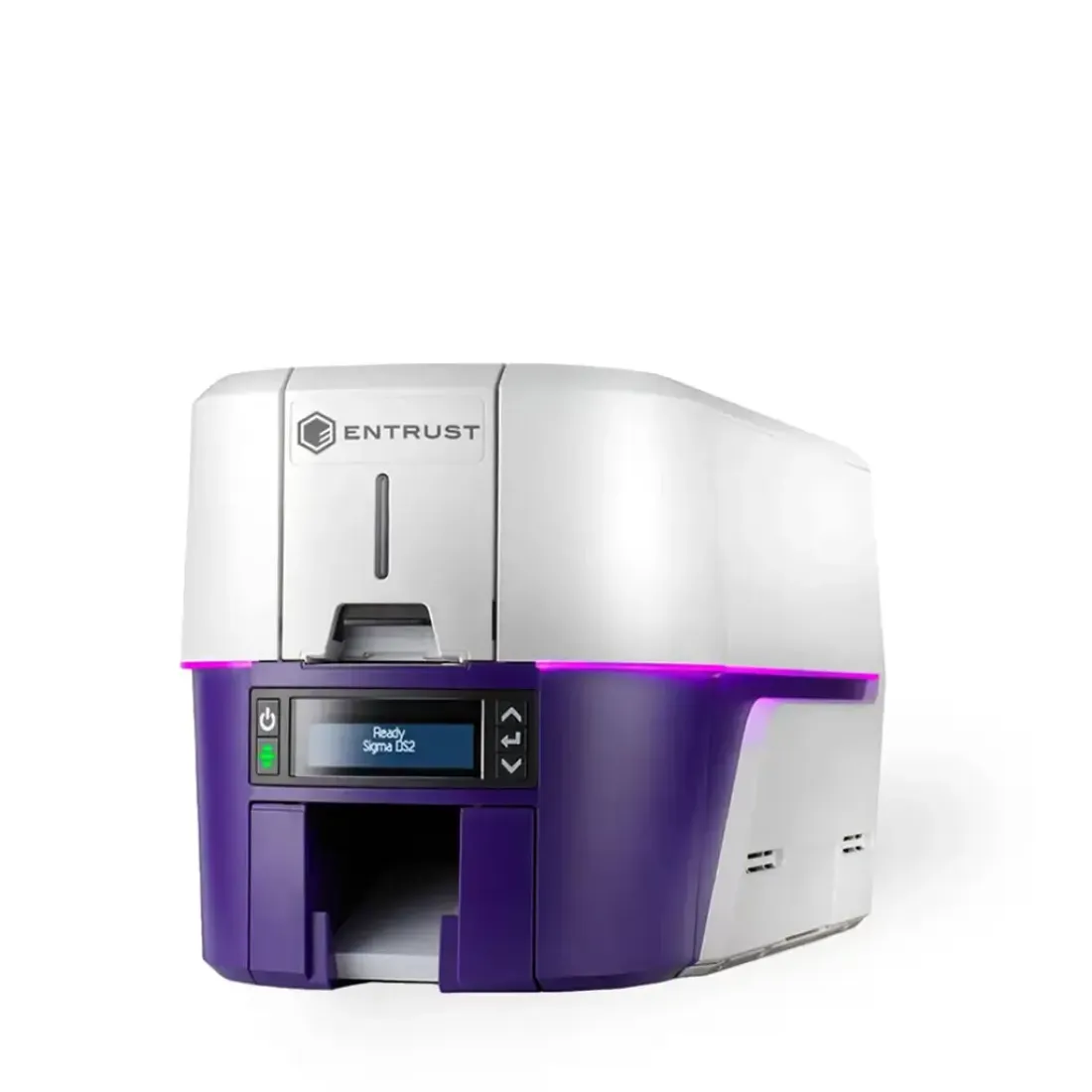
Entrust Sigma DS2
A high-level printer that gives businesses the ability to print the perfect ID cards in-house, with vibrant colours and sharp images.
- Seamless support options
- Comprehensive digital dashboard
- Simple ribbon replacement
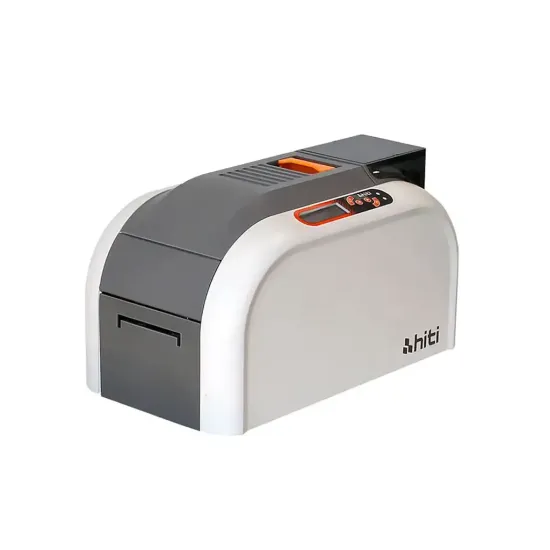
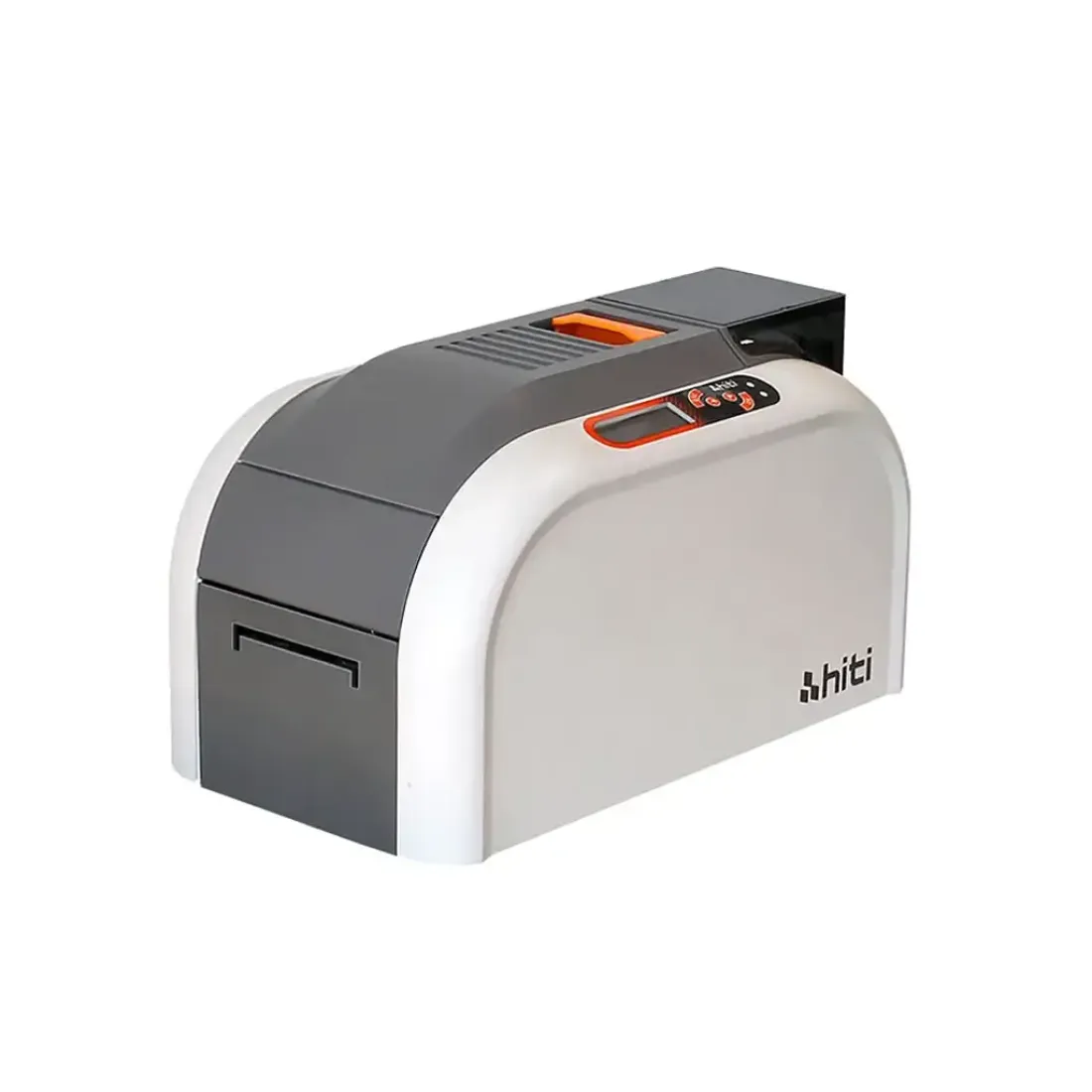
HiTi CS-200e
The HiTi CS-200e is a streamlined printer that's ideal for instant issuance on a smaller scale. Its versatile flexibility is paired with superior print quality.
- Cost-effective ownership
- Small scale, fast issuance
- Vibrant colour reproduction
How We Review Each Printer
Each printer we review undergoes extensive research and training. No brands pay for placements or rankings – instead, our team of experts make the decisions based off their knowledge.
Print Quality
We examine clarity, sharpness, and colour accuracy.
Speed & Throughput
How fast printers operate in real-world conditions.
Security & Encoding
Testing magnetic stripe, chip, and smart card access control.
Cost of Ownership
We calculate ongoing consumable and printing costs.
Reliability
Stress-tested for jams, misprints, and long-term use.
User Experience
Ease of setup, operation, and daily usability.
Our Commitment
We are dedicated to offering the best ID card printers to organisations who value security, experience, and ease of use. Brands and manufacturers we stock have no influence over our rankings or recommendations and all of our printers are scored on several different categories including: Print Quality, Speed, Encoding Options, Cost of Ownership, Ease of Use, and Build Quality.
ID Card Printer Product Reviews
Detailed breakdowns of our recommended printers, including real-world performance data.
Evolis Primacy 2
Why We Picked It
- The Evolis Primacy 2 is perfect for high printing volumes.
- It boasts advanced security features for data protection.
- Intuitive user interface for easy-to-use operations.
Ideal For
The Evolis Primacy 2 is the ideal choice for establishments who have high volume card requirements, such as corporate office spaces, education facilities, or organisers producing event passes.
Pros
Cons
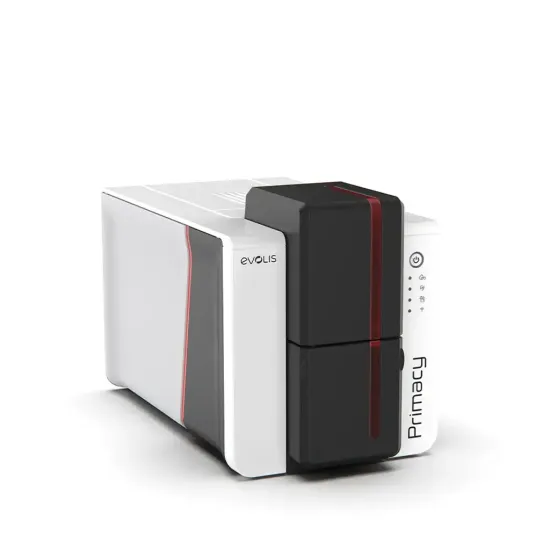
Key Specs at a Glance
| Print Resolution | 600dpi |
| Print Speed (YMCK) | 13 Sec |
| Card Size | CR80 (86 × 54mm) |
| Display | LED Control Panel |
| OS Compatibility | Windows, Mac & Linux |
Magicard 600
Why We Picked It
- Offers double-sided printing as standard.
- HoloKote® security watermarks to prevent forgery.
- Unrivalled 4-year warranty with loan swaps when required.
Ideal For
The Magicard 600 offers quality, reliable issuance for businesses of all sizes. Create access cards with optional encoding modules, or add industry-leading holographic designs for security.
Pros
Cons
Key Specs at a Glance
| Print Resolution | 600dpi |
| Print Speed (YMCK) | 19 Sec |
| Card Size | CR80 (86 × 54mm) |
| Display | LCD Display |
| OS Compatibility | Windows, Mac & Linux |
Magicard 300
Why We Picked It
- Has rewrite capabilities for visitor passes and temporary ID.
- Compatible with eco-friendly paperboard cards.
- Digital shredding deletes data left after each job.
Ideal For
A budget-friendly option, the Magicard 300 combines superior quality with a range of great features, such as optional encoding capabilities, to allow for customised ID production.
Pros
Cons
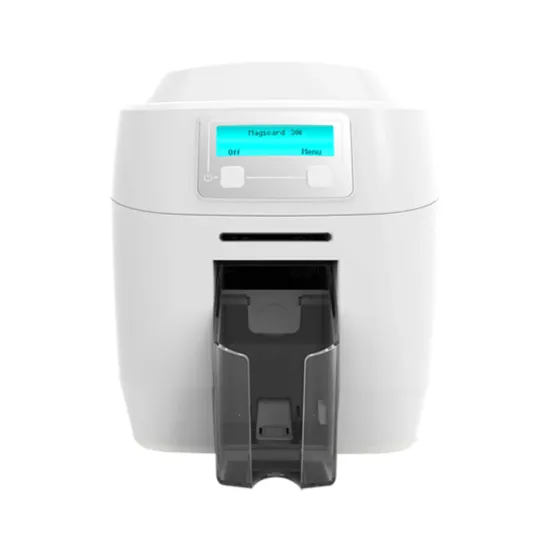
Key Specs at a Glance
| Print Resolution | 300dpi |
| Print Speed (YMCK) | 23 Sec |
| Card Size | CR80 (86 × 54mm) |
| Display | LCD Display |
| OS Compatibility | Windows, Mac & Linux |
Zebra ZC350
Why We Picked It
- Consistent superior quality ID card printer.
- Cost-effective printer with reasonable ongoing costs.
- Slim-line design for use in all types of environments.
Ideal For
The Zebra ZC350 is an ideal printer for establishments of all sizes across a range of industries, providing edge-to-edge vibrant ID cards.
Pros
Cons
Key Specs at a Glance
| Print Resolution | 300dpi |
| Print Speed (YMCK) | 16 Sec |
| Card Size | CR80 (86 × 54mm) |
| Display | Graphical Colour LCD |
| OS Compatibility | Windows, Mac & Linux |
Matica MC110
Why We Picked It
- Entry-level printer for low-to-medium batch volumes.
- Built with durability in mind.
- Available with an optional contact/contactless encoder.
Ideal For
If you only need to produce a small number of cards each year, the Matica MC110 is ideal. This printer offers reassurance, quality, and cost-effectiveness.
Pros
Cons
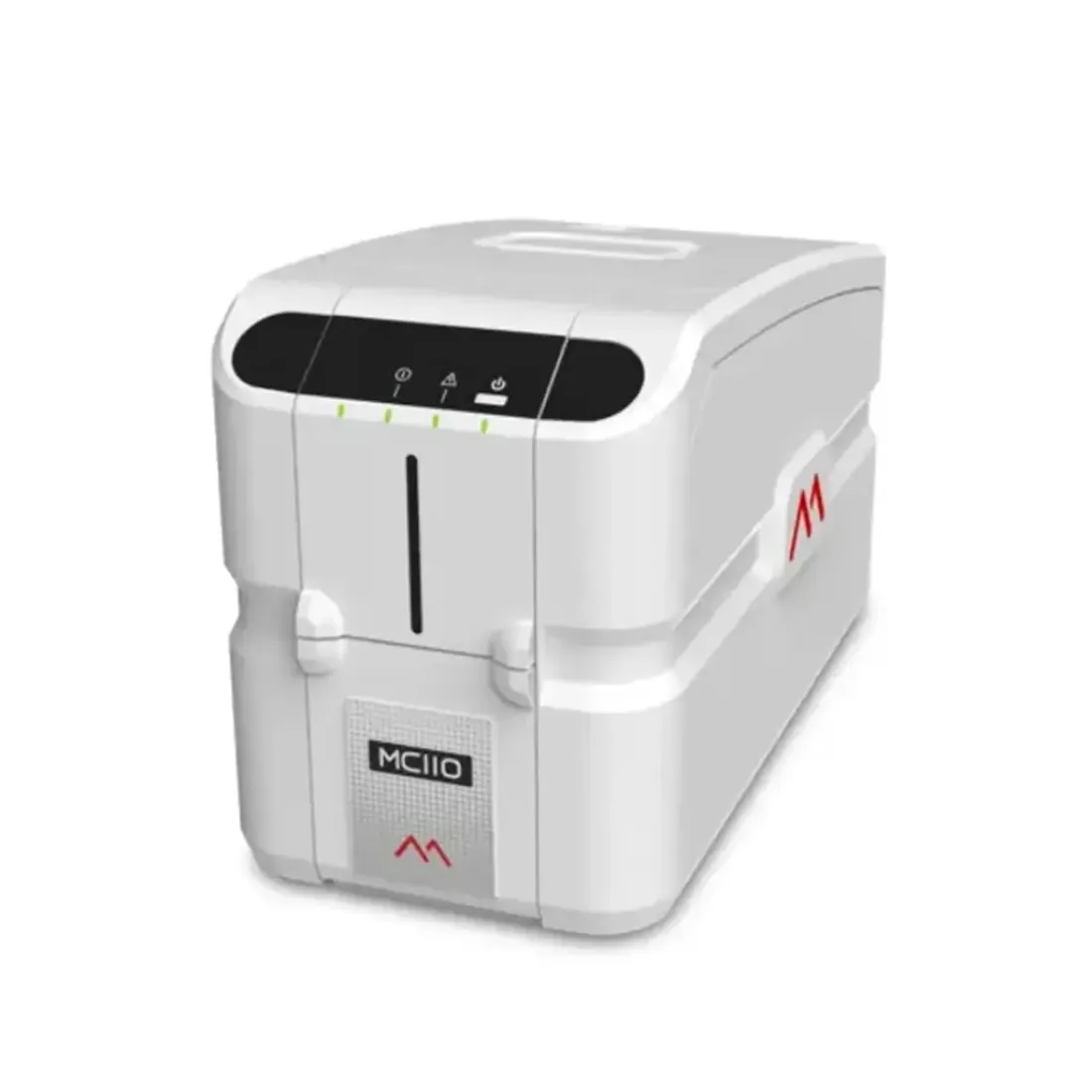
Key Specs at a Glance
| Print Resolution | 300dpi |
| Print Speed (YMCK) | 24 Sec |
| Card Size | CR80 (86 × 54mm) |
| Display | LED Status Indicators |
| OS Compatibility | Windows & Mac |
Fargo DTC1250e
Why We Picked It
- Fast print speeds with quality output.
- Compact design for use in multiple environments.
- Easy set-up and intuitive user-friendly interface.
Ideal For
The Fargo DTC1250e is an ideal solution for users who need to print small batches of ID cards with maximum efficiency and quality.
Pros
Cons
Key Specs at a Glance
| Print Resolution | 300dpi |
| Print Speed (YMCK) | 16 Sec |
| Card Size | CR80 (86 × 54mm) |
| Display | LED Status Indicators |
| OS Compatibility | Windows |
IDP Smart 51
Why We Picked It
- Reliable IDP Smart printing technology.
- Ideal for producing medium-volume print batches.
- Add-on modules for simple post-purchase upgrades.
Ideal For
The IDP Smart 51 is a reliable, tried-and-tested printer that allows businesses of all sizes to quickly scale up their ID card printing process.
Pros
Cons
Key Specs at a Glance
| Print Resolution | 300dpi |
| Print Speed (YMCK) | 17 Sec |
| Card Size | CR80 (86 × 54mm) |
| Display | LCD Display |
| OS Compatibility | Windows, Mac & Linux |
Entrust Sigma DS2
Why We Picked It
- Colour profiling for realistic photo reproduction.
- Advanced access control upgrades available.
- Pre-loaded ribbon cassettes for simple switching.
Ideal For
The Entrust Sigma DS2 is the ideal printing solution for organisations looking to create ID cards with enhanced security options.
Pros
Cons
Key Specs at a Glance
| Print Resolution | 300dpi |
| Print Speed (YMCK) | 16 Sec |
| Card Size | CR80 (86 × 54mm) |
| Display | LCD Display |
| OS Compatibility | Windows & Linux |
HiTi CS200-e
Why We Picked It
- Budget-friendly ID card printer.
- Built with durability in mind.
- Simple to use interface for all user capabilities.
Ideal For
If you're looking for a cost-effective printer to produce ID cards as and when you need them, the HiTi CS200-e is the ideal model.
Pros
Cons
Key Specs at a Glance
| Print Resolution | 300dpi |
| Print Speed (YMCK) | 21 Sec |
| Card Size | CR80 (86 × 54mm) |
| Display | LCM Display |
| OS Compatibility | Windows & Mac |
Full Comparison Table
| Score | Printer | Resolution | Speed | Card Types | Encoding | Laminator Add-On | Warranty | Cost of Ownership |
|---|---|---|---|---|---|---|---|---|
| 7.7/10 | Evolis Primacy 2 | 600dpi | 13 Sec | PVC, ABS, PET, Polycarbonate, PET, Paperboard | Magnetic, Contact & Contactless | ✔ | 3 Years | 6.98/10 |
| 7.3/10 | Magicard 600 | 600dpi | 19 Sec | PVC, ABS, PET, PETG, Polycarbonate | Magnetic, Contact & Contactless | ✘ | 4 Years | 7.5/10 |
| 7.1/10 | Magicard 300 | 300dpi | 23 Sec | PVC, Paperboard | Magnetic, Contact & Contactless | ✘ | 4 Years | 7.89/10 |
| 6.8/10 | Zebra ZC350 | 300dpi | 16 Sec | PVC, Composite | Magnetic, Contact & Contactless | ✘ | 3 Years | 6.59/10 |
| 6.7/10 | Matica MC110 | 300dpi | 24 Sec | PVC, Composite | Magnetic, Contact & Contactless | ✘ | 2 Years | 7.06/10 |
| 6.3/10 | Fargo DTC1250e | 300dpi | 16 Sec | PVC, Polyester | Magnetic, Contact & Contactless | ✘ | 3 Years | 6.33/10 |
| 6.2/10 | IDP Smart 51 | 300dpi | 17 Sec | PVC, PET, Composite | Magnetic, Contact & Contactless | ✔ | 5 Years | 7.16/10 |
| 5.9/10 | Entrust Sigma DS2 | 300dpi | 16 Sec | PVC | Contact & Contactless | ✘ | 3 Years | 7.16/10 |
| 5.9/10 | HiTi CS200-e | 300dpi | 21 Sec | PVC, Polyester | Magnetic, Contact & Contactless | ✘ | 3 Years | 5.81/10 |
ID Card Printing Buyer Guide
Everything you need to know to make an informed decision. No fluff, just practical advice.
What is a Direct-to-Card ID Card Printer?
Different to retransfer printers, a direct-to-card ID card printer uses a technology called dye sublimation, which uses heat to transfer ink directly onto the card. This process is cost-effective and offers fast printing, ideal for organisations of all sizes.
Due to the nature of this technology, it is also known as edge-to-edge printing. This means a thin white line is left around the edge of the card, as the design does not go over the edge of the card surface.
Key Factors to Consider
Print Quality
Print quality is something that cannot be compromised. For exceptional clarity and realistic ID designs, choose models with high DPI, crisp black ink (often resin), and high colour accuracy.
Print Speed
Printing speed is an essential feature for medium to high volume organisations with batch printing requirements. We recommend ID printers with a high cards per hour output and robust build for durability.
Access Control Options
Many organisations require encoding for access control cards, and for those, there are a number of models that offer different options such as contactless/contact and magstripe.
Durability & Warranty
No matter how many cards you print per year, durability and build quality are a must - along with excellent manufacturer warranty and support in the unlikely event you face any printing issues.
Total Cost of Ownership
Whilst buying a printer has an initial outlay cost, there are ongoing costs associated with printing. Consider consumables such as ribbons, cards, wastage, and cleaning and maintenance.
Footprint & Noise
If your printer will be used on a reception desk, choose a model with a small footprint. If your printer will be used in an office environment, choose one that has a quieter operating sound.
Which ID Badge Printer is Right for You?
Offices
The Evolis Primacy 2 is a great versatile option for corporate office spaces needing photo ID.
Education
The Zebra ZC350 offers quality printing alongside a slim design, making it ideal for enrolment.
Access Control
The IDP Smart 51 offers a range of access control options, with modules able to be added post-purchase.
Events
The Matica MC110 is ideal for printing high quality, durable and eye-catching event badging on-demand.
Healthcare
The Magicard 600 is recommended for hospitals and other healthcare settings that need to print staff ID.
Still Unsure?
Speak to our experts who can help you find the right printer for your organisation.
Contact UsFrequently Asked Questions
ID card printers are a specialist type of printer that are designed to print on more durable surfaces such as PVC, polycarbonate, and paperboard. Instead of using inkjet or laser printing technology like standard office printers, ID card printers use heat to transfer to the ink directly to the card (dye sublimation or direct-to-card) or onto a clear film which is fused to the card's surface (retransfer technology).
The cost of an ID card printer varies depending on the features it offers. Dual-sided printers can cost more than single-sided models, and encoding for access control systems is an additional add-on. Some printers offer lamination systems as an extra option for added durability.
All printers from ID Card Centre come with free design software and free UK delivery.
Common ID card printing mistakes include using low-resolution images, poor-quality photos, or text that is too small to read clearly. Design issues such as incorrect margins, colour mismatches, and inconsistent layouts can also affect the final result.
An ID card printer typically lasts around 5–7 years with normal use and proper maintenance. Printers that are cleaned regularly, use the correct consumables, and operate within their recommended print volumes may last longer, while heavily used or poorly maintained printers may need replacing sooner.
When choosing an ID card printer in the UK, brand reputation for customer support and after‑sales service matters almost as much as hardware quality. Several brands are known for good UK support, technical help, and warranties, including Magicard, Zebra, Evolis and HID Fargo.
ID Card Centre offers a comprehensive support plan for front-line assistance. Our team of experts can help you install and set up your printer, and offer staff training and technical support.
A secure ID card printer should protect both the card and its data. Key features include encrypted data transfer, durability and anti-forgery features such as UV printing or hologram ribbon availability.
Which Printer Should You Choose?
Based on our extensive research, here's who should choose which model.
Evolis Primacy 2
If you need high printing volumes, security, and reliability.
HiTi CS200-e
If you want dependable printing on a budget.
Zebra ZC350
If security is non-negotiable and you want to prevent forgery.
IDP Smart 51
If you need smart card encoding solutions.
This guide is independently researched and maintained by ID Card Centre's expert team.
About the Author

Finley Barter
New Business Sales Executive
Finley Barter is a go-to expert for all things ID card printers and personalised lanyards, helping customers choose the right print solutions and branding options with confidence. Whether you're setting up a new system or upgrading your event materials, Finley ensures everything runs smoothly – from print quality to lanyard design.