











-1060x400w.png "Evolis Zenius 2 ID Card Printer Review")
Published 17 March 2026
Last Updated 27 August 2026
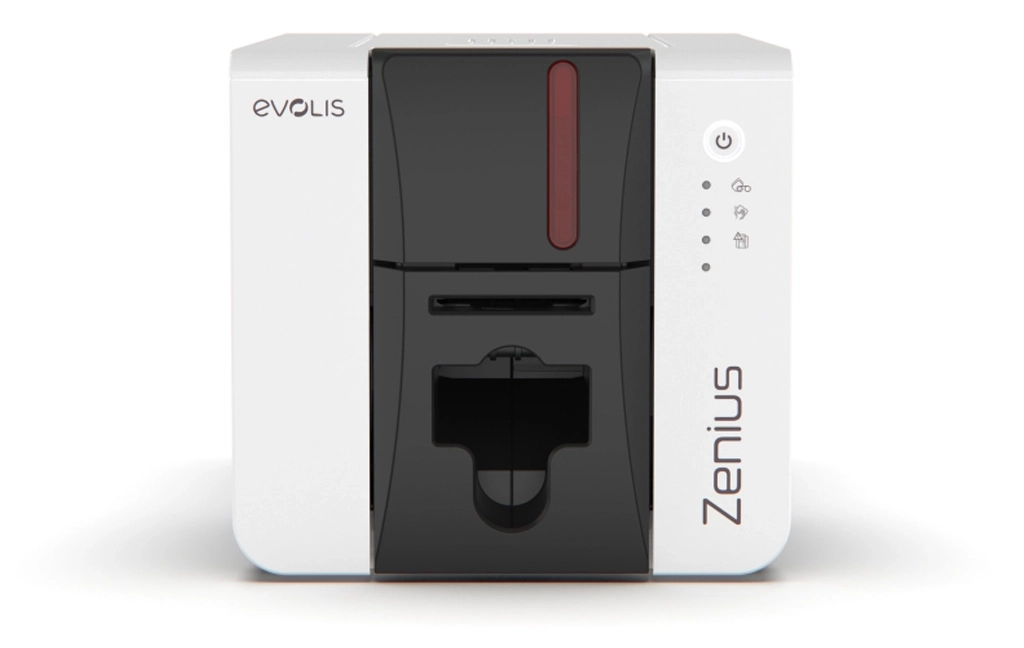
Evolis Zenius 2 - Front View
Contents
Zenius 2 at a Glance
| Metric | Performance Data |
|---|---|
| Print Speed (Single-Sided, YMCKO) | 180 cards per hour / 20 seconds per card |
| Print Speed (Single-Sided, Monochrome) | 700 cards per hour / 5 seconds per card |
| Printer Technology | Dye sublimation / direct-to-card |
| Input Hopper Capacity | 50 cards |
| Output Hopper Capacity | 50 cards |
| Manual Input | Supported |
| Card Types Supported | PVC, Composite, PET, Paper*, Rewritable |
| Card Thickness | 0.25mm to 0.76mm (10 to 30 mil) |
| Card Size | CR80 (ISO 7810) |
*Evolis paper cards can be printed with a specified ribbon.
Overview of the Evolis Zenius 2
An improvement on the original Evolis Zenius ID card printer, the Zenius 2 offers card printing with better speeds, higher quality, and more security options. Sitting just below the Primacy 2 in the Evolis range of badge printers, it offers value for money for organisations who need to produce professional photo ID badges without adding complexity to their security routines.
The new Evolis Zenius 2 offers a compact footprint, making it ideal for most environments – even those with restricted space, or customer-facing applications. However, in day to day use, the Zenius 2 is particularly effective for reception environments where cards are printed individually rather than in large batches. Its quiet operation and compact footprint make it suitable for customer facing desks.
Key Features and Benefits Explained
Print Speed
The Zenius 2 will print up to 180 full colour ID card per hour and up to 700 monochrome cards over the same time frame, making it perfectly suited to small batch badge production.
Print Quality
The Zenius 2 provides 300dpi printing. This is suitable for colour matching and producing high quality photo ID cards and crisp text.
Encoding Options
The Zenius 2 Classic does not come with encoding options. The Zenius 2 Expert however, offers encoding options with Mag Stripe, Contact and Contactless.
Usability
Complete with an LED control panel, the Zenius 2 is easy to use with more advanced settings and features accessible through the printers driver.
Reliability
Zenius 2's reinforced printhead, improves durability and reduces downtime in low volume print environments.
The Evolis Zenius 2 is available in two variations, Classic and Expert, designed to suit different card printing requirements. It comes bundled with free ID-ALL Starter ID card software to help users design and print cards straight away, and is backed by a comprehensive three-year warranty that includes the printhead. The printer is compatible with both Windows and macOS systems, making it easy to integrate into most work environments. It also features built-in rewritable technology, which is ideal for producing temporary passes or reusable cards. For organisations with more advanced needs, the Expert version adds enhanced functionality such as access control integration and physical card security features.
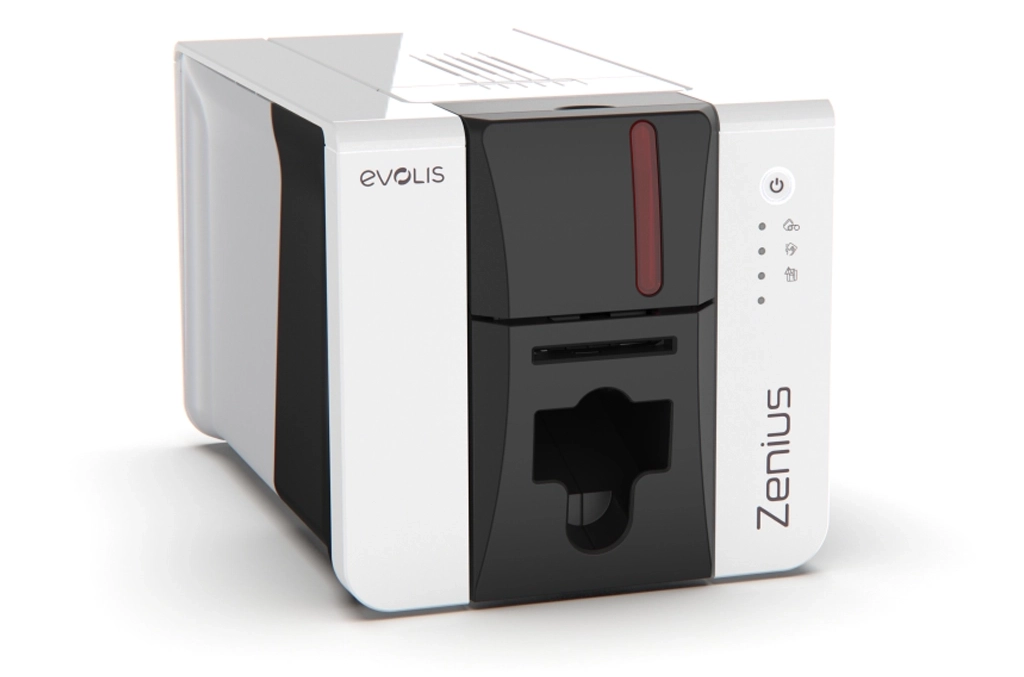
Evolis Zenius 2 - Left View
Feature Breakdown
Who Is It Best For?
Corporate Organisations
To issue ID cards from a single reception in your office space, choose the Zenius 2 Classic. If access control cards are in use, the Expert is more suited.
Education
For schools who print cards from devices in multiple locations, the Zenius Expert is the ideal printer. It can also programme cards for print release, cashless catering and more.
Healthcare
For small care homes with a centralised reception desk, choose the Classic variation. If your facility has multiple sites across one location, the Expert is suitable.
Local Authority
If you need to print membership cards or visitor passes as and when required, the Classic is ideal. It offers fast speeds and rewrite for temporary ID.
Events & Leisure
For fast, simple event passes, choose the Classic. If you require additional features such as UV security overlays or access control, the Expert is better suited.
Still Unsure?
Speak to our experts who can help you find the right printer for your organisation.
Contact UsPros and Cons of the Zenius 2 Badge Printer
Pros
- Compact and lightweight
- Easy to use
- High-quality printing
- Comes with free design software
- Batch printing or single card feeding
- Quiet operation levels of 46 dB
Cons
- Single-sided printing only - no automatic double-sided printing
- Small input capacity
- Limited optional modules available
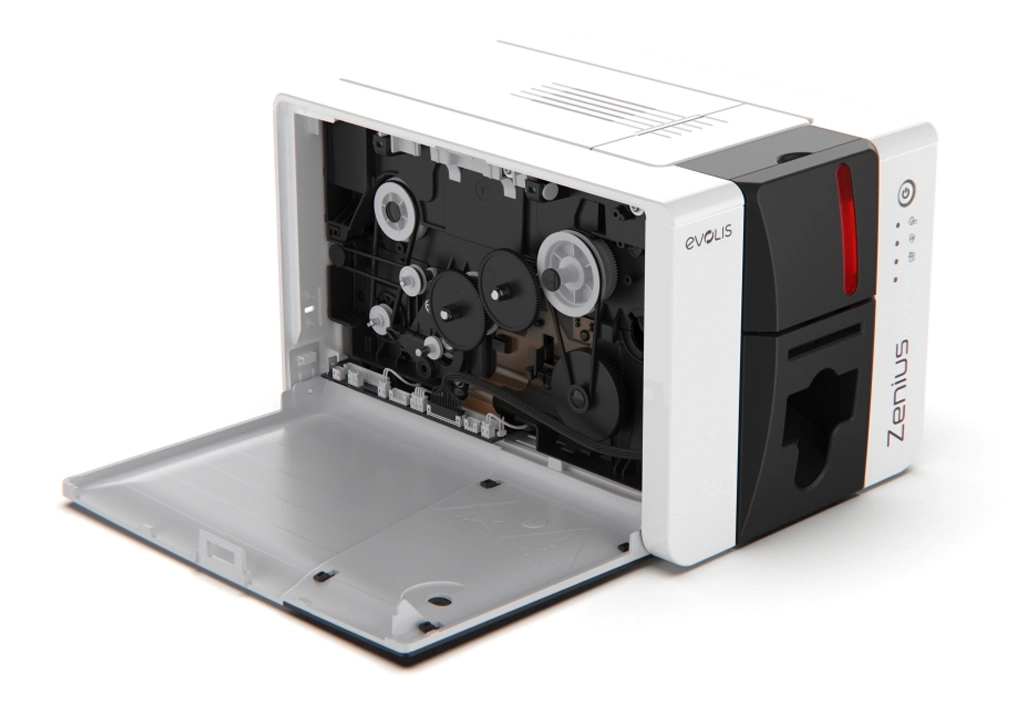
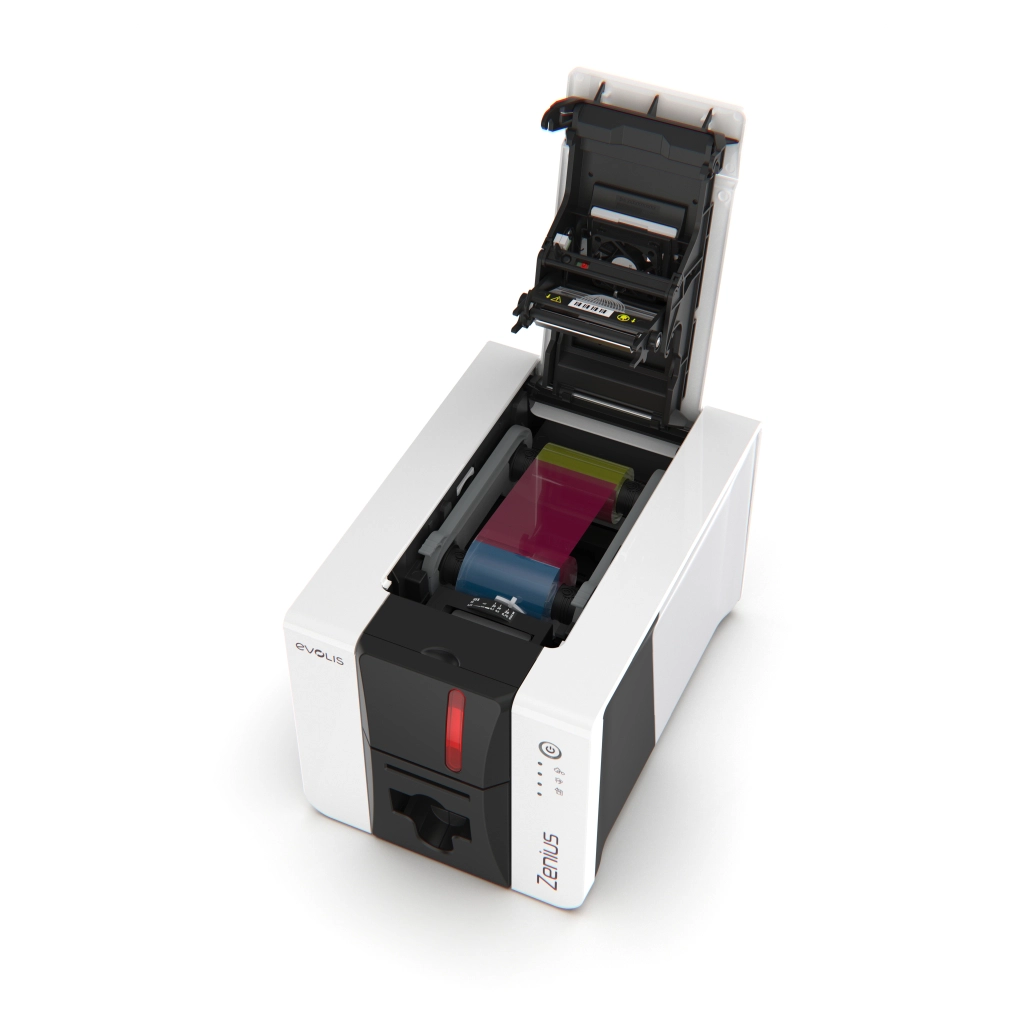
Evolis Zenius 2 - Open Panel
Technical Specifications
| Print Technology | Dye-sublimation / Rewrite |
| Resolution | 300 dpi |
| Print Speed | Up to 180 full-colour cards per hour |
| Card Types | PVC, Composite PVC, PET, Paper, Rewritable |
| Encoding Options | Magnetic stripe, Contact smart card, Contactless smart card |
| Connectivity | USB (cable included), Ethernet (Expert only) |
| OS Compatibility | Windows, macOS |
| Dimensions | 195mm (h) x 205mm (w) x 315 mm (d) |
| Weight | 3.3 kg |
| Warranty | 3 years (printer & printhead) |
| Recommended Monthly Volume | Up to 500 cards per month |
| Printer Category | ID Card Printers > Evolis Printers > Single Sided ID Card Printers |
Zenius 2 vs Zenius Comparison
The Zenius 2 builds on the strengths of the original Evolis Zenius card printer by offering improved connectivity and throughput, while keeping the compact, user‑friendly design that made the Zenius printer popular. Key differences and similarities include:
- Design: both models share a compact, desk-friendly footprint
- Print technology: both printer models use dye-sublimation technology at 300dpi with edge-to-edge printing
- Connectivity: the Zenius 2 adds Ethernet to the Expert version, and offers more modern USB interfaces
- Usability: both printers are easy to use with straightforward ribbon loading, with updated driver support on the Zenius 2
- Upgrades: The Zenius 2 offers better long-term support and compatibility with other Evolis products, such as drivers and software
Overall, the Zenius 2 is an evolution of the original, offering improvements in connectivity and usability while preserving the simplicity and reliability that made the original Zenius a strong entry-level plastic ID card printer.
| Zenius | Zenius 2 | |
| Connectivity | USB | Upgraded USB interfaces, Ethernet* |
| Compatibility | Windows, Mac | Windows, Mac, Android*, iOS* |
| Card Loading | Front | Front + Rear |
| Technology | Dye Sublimation | Dye Sublimation, Rewrite |
| Print Quality | Standard 300dpi | Enhanced 300dpi |
| Speed (YMCKO) | Up to 150 cards per hour | Up to 180 cards per hour |
| Security | None | Digital data erasing |
| Warranty | 2 years | 3 years |
*Expert variant only
Alternatives to the Zenius 2
If the Zenius 2 isn't powerful enough for your needs, consider these alternative printers:
- Magicard 300: This single-sided printer offers strong security options and encoding for access control cards.
- IDP Smart 31S: A reliable mid-range printer, this model offers more feature than most entry-level models.
- Zebra ZC100: A sleek desktop printer designed for reception desks, with reliable printing for small batches.
- HID Fargo DTC1250e: A popular card printer that offers dependable performance and flexible encoding options.
- PVC cards
- Composite PVC-PET cards
- PET cards
- ABS cards
- Rewritable cards (special ribbons required)
- Employee ID cards
- Student ID cards
- Membership cards
- Visitor badges
- Loyalty cards
- Designed for simple desktop card printing
- USB connectivity only
- No internal encoder support
- Ideal for basic ID card printing environments
- Supports optional encoding modules
- USB and Ethernet connectivity
- Suitable for smart cards and access control cards
- Greater flexibility for growing organisations
- Print less than 500 cards per month
- You need a compact, easy to use desktop ID printer
- You don't need double sided printing
- Need high volume batch printing
- Require automatic double sided printing
Evolis Zenius 2 - Ribbon Cartridge
Zenius 2 Compatible Consumables
| Consumable | Details | Product Link |
|---|---|---|
| YMCKO Ribbon | 200 prints per ribbon | View Product |
| KO (Black, Overlay) Ribbon | 600 prints per ribbon | View Product |
| Cleaning Kit | To be used after every 1,000 prints | View Product |
| Blank Cards | CR80 format | View Products |
| Lamination Overlay | Not compatible with the Evolis Zenius printer |
Frequently Asked Questions
What is the typical lifespan of the Zenius 2 ID card printer?
The Zenius 2 is designed as a reliable entry-level ID card printer with a long operational life when properly maintained. In most office environments, the printer typically lasts 5–7 years or longer, depending on usage levels, maintenance routines, and environmental conditions.
What kind of cards can the Zenius 2 print?
The Zenius 2 supports a wide range of standard plastic cards used for identification and access control.
Compatible card types include:
The printer supports the standard CR80 card size (credit card size) with thickness typically ranging from 0.25mm to 0.76mm. This makes it suitable for printing:
What is the difference between the Zenius 2 Classic and Zenius 2 Expert?
The Zenius 2 Classic and Zenius 2 Expert use the same core printing technology but differ in expandability and connectivity.
Zenius 2 Classic
Zenius 2 Expert
In short, the Classic model focuses on straightforward printing, while the Expert model provides more advanced functionality.
Does the Zenius 2 support card encoding?
Yes. The Zenius 2 Expert supports optional card encoding technologies, allowing organisations to personalise both the visual design and embedded data on cards. The Zenius 2 Classic does not support internal encoders.
Can the Zenius 2 be shared over a network?
The Zenius 2 Classic connects via USB only and is typically used as a single desktop printer. The Zenius 2 Expert includes Ethernet connectivity, allowing the printer to be shared across a network.
What software comes with the Zenius 2 printer?
The Zenius 2 includes ID-ALL Starter card design software. This software allows users to create and print basic ID cards and badges, and it can be upgraded to more advanced versions if additional features are required.
Can I print cards from a mobile device?
The Zenius 2 Expert supports printing from Android and iOS devices, providing greater flexibility for organisations that need mobile printing capabilities.
Does the Zenius 2 support UV overlay printing?
Yes. The Zenius 2 Expert supports UV overlay printing when used with a compatible ribbon. This feature allows organisations to add additional security or branding elements to printed cards.
Where can I download drivers for the Zenius 2?
Drivers, firmware updates, manuals, and additional documentation for the Zenius 2 can be downloaded from the official support page.
Final Verdict and Summary
Zenius 2 is an upgrade on the original Zenius printer, this model offers fast throughput, high quality output, and everything you need for small batch and entry level printing of high quality cards. It's compact, easy to use and built with reliability in mind. It's a low volume card printer for small to medium sized organisations.
If you're looking for a compact, affordable, and reliable single-sided ID card printer for low-volume printing needs, the Evolis Zenius 2 is a solid and practical choice. So with that in mind, should you buy it?
You should buy the Zenius 2 if you:
You should avoid the Zenius 2 if you:
Ready to explore the Zenius 2?
Explore full specifications, compatible consumables, and live pricing.
View Evolis Zenius 2About the Author

Finley Barter
New Business Sales Executive
Finley Barter is a go-to expert for all things ID card printers and personalised lanyards, helping customers choose the right print solutions and branding options with confidence. Whether you're setting up a new system or upgrading your event materials, Finley ensures everything runs smoothly – from print quality to lanyard design.