



































Published 20 November 2026
Last Updated 20 November 2026
A good staff ID card does three jobs at once: it proves who someone is, controls where they can go, and shows customers and visitors that your organisation takes security seriously. This guide explains everything UK employers need to know to get staff ID cards right, from what to print on the card and which card technology to choose, to UK GDPR, sector rules, printing options and day-to-day card management.
It is written for HR teams, office and facilities managers, security leads and business owners in every sector, from a 20-person office to an NHS trust. The advice draws on ID Card Centre’s experience of supplying ID cards, printers, lanyards and access control products to UK organisations since 1998. If you are weighing up whether an ID card system is right for your business, start with the benefits section below.
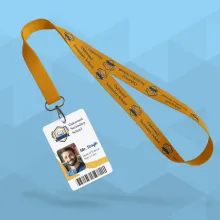
- 1Organisation name and logo
- 2A recent colour photo
- 3Name
- 4Job title or department
- 5Employee or card number
- 6Expiry or issue date
What is a staff ID card?
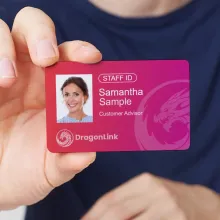
A staff ID card is a credit card sized plastic card that identifies an employee, contractor or volunteer as an authorised member of your organisation. Most carry a photo, name, job title and company branding, and many also open doors, log into systems or record attendance.
Standard card size and material
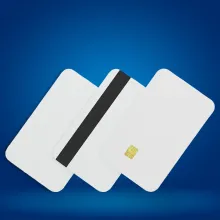
Almost all UK staff ID cards follow the CR80 format (85.6mm x 54mm), the same size as a bank card, set out in the international standard ISO/IEC 7810. The usual thickness is 0.76mm (often called 30 mil). Cards are most commonly made from PVC, with PET, composite and biodegradable options for organisations that need extra durability or want to reduce plastic use.
Staff ID cards vs visitor and contractor passes
A staff ID card is issued to people who work for you on an ongoing basis. Visitor passes and contractor badges are temporary, usually show a different colour or a clear “VISITOR” label, and should give limited or escorted access only. Keeping the designs visibly different means anyone can tell at a glance who belongs where.
Benefits of an ID card system for your business
A well run ID card system is one of the cheapest and most effective ways to protect your people and premises, and the benefits go well beyond security. It makes it easy to spot someone who should not be there, gives every employee a simple, visible way to prove they belong, and supports everything from visitor management to your brand.
Site security and a “challenge culture”
Counter terrorism policing guidance on ProtectUK advises that staff should wear their ID and be trained on what to do if a pass is lost or stolen, or if someone needs to be challenged. Its access control checklist also asks whether staff, contractors and cleaners wear ID badges at all times, and whether visitor passes look different from staff badges. When everyone wears a card, an unbadged person stands out immediately.
Access control and audit trails
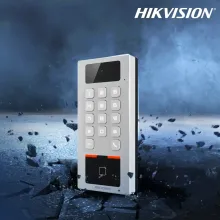
A staff ID card can double as an access credential. Encoded with proximity or smart card technology, the same card opens doors, restricts sensitive areas and records who went where and when. For example, you can programme cleaners’ cards to work only outside office hours. Temporary staff and contractors can be given access for a set period, then switched off the day they leave.
Visitors are easy to spot
Distinct visitor and contractor passes let staff and security see at a glance who belongs in an area and who has gone astray. Pair reusable visitor cards with a sign-in book or visitor management software so you always know who is on site. Our guide to ID cards for visitors explains the options.
Safeguarding and public trust
In schools, hospitals, care homes and public services, a clear photo ID card reassures patients, pupils, parents and visitors that the person in front of them is authorised. It also helps visitors identify the right person to speak to.
Staff feel safer at work
When entry and exit are controlled and traceable, employees can see that you take their safety seriously. That reassurance matters for lone workers, staff in public facing roles and anyone working early or late, and it supports your duty of care as an employer.
Health and safety and emergencies
Cards linked to an access control or time and attendance system help produce an accurate list of who is on site during an evacuation. Some organisations also print emergency contact or first aider details on the reverse.
Easy to manage as your workforce changes
Once an ID card system is set up, adding a new starter, issuing a temporary card or changing someone’s access rights takes minutes. With ID card software holding your templates and staff data, new cards and reprints stay consistent without starting from scratch each time.
One card across multiple sites
A single card and access control system can cover every building you operate, so staff do not need a separate pass for each site and you do not need separate security procedures. Smart card technology, covered below, makes it easy to add new locations as you grow.
Better communication in larger organisations
When ID cards double as name badges, colleagues can put names to faces across departments, sites and shifts. That makes meetings, training sessions and events easier to run, and helps new starters settle in.
Brand and professionalism
A well-designed card with your logo, colours and values reinforces your brand with every customer interaction and helps colleagues in larger organisations learn each other’s names and roles.
Are staff ID cards a legal requirement in the UK?
There is no single UK law that requires every employer to issue staff ID cards. However, some roles must carry or display ID by law, many sectors expect it as standard practice, and any organisation that prints names and photos on cards must handle that data lawfully under UK GDPR.
Employers can make ID cards mandatory by policy
If you decide staff must wear ID, put it in writing. Include the requirement in your security policy or staff handbook, explain why, and cover what happens if a card is lost, damaged or not worn. Consider reasonable adjustments, for example offering breakaway lanyards, clips or armbands for people who cannot wear a lanyard.
Sector specific requirements
| Sector | What applies | Source |
|---|---|---|
| Private security | Front line SIA licence holders must wear their licence where it can be seen while carrying out licensable activity, unless working covertly. Breaching licence conditions is a criminal offence under section 9 of the Private Security Industry Act 2001. | SIA licence conditions |
| Schools and colleges (England) | Keeping children safe in education 2026 came into force on 1 September 2026. Schools must have regard to it, including safer recruitment and site security. Staff and visitor ID badges are the usual way to show who has been checked. | KCSIE, GOV.UK |
| Healthcare and social care | ID badges are set by local trust and provider policy rather than a single national rule, but clear staff identification supports safe, well managed care that inspectors look for. | ID Card Centre healthcare ID solutions |
| Construction | Most UK sites require workers to hold a skills card, usually a CSCS card, as proof of training and qualifications. This is in addition to any site pass. | CSCS |
| Public venues and events | Martyn’s Law (the Terrorism (Protection of Premises) Act 2025) received Royal Assent on 3 April 2025, with an implementation period of at least 24 months. Venues in scope will need public protection procedures, and staff ID and access control are practical ways to support them. | Martyn’s Law factsheet, GOV.UK ID Card Centre Martyn’s Law guide |
UK GDPR and staff ID cards
A staff ID card contains personal data: at minimum a name and photo, and often an employee number linked to other systems. That means UK GDPR and the Data Protection Act 2018 apply to how you collect, print, share and dispose of it. The Data (Use and Access) Act 2025 became law on 19 June 2025 and is updating parts of this framework, so check the ICO’s current position.
Good practice for ID cards includes:
- Data minimisation
- Print only what the card needs to do its job. A first name and photo may be enough for public facing roles.
- Lawful basis
- Most employers rely on legitimate interests or legal obligation rather than consent, because consent is rarely freely given in an employment relationship.
- Secure suppliers
- If a bureau prints your cards, they act as a data processor. Make sure you have a written contract and that they store and delete data securely.
- Secure disposal
- Shred or securely recycle old cards so names and photos cannot be recovered.
The ICO’s employment practices and data protection guidance is the best starting point for employers. You can also read how ID Card Centre handles customer data on its GDPR page.
Right to work checks come first
An ID card proves someone works for you, not that they are entitled to work in the UK. Complete the Home Office right to work checks before employment starts, then issue the card.
This section is general guidance, not legal advice. Check the requirements that apply to your sector.
What to include on a staff ID card
The best staff ID cards show enough to identify the holder at a glance and nothing more. Start with the essentials, then add optional features based on your security level and how the card will be used.
Essential information (front)
- A recent colour photo
- Head and shoulders, plain background, face clearly visible. It should be large enough to recognise from a short distance.
- Name
- First name and surname, or first name only for public facing roles where privacy is a concern.
- Job title or department
- Helps visitors and colleagues know who to approach.
- Organisation name and logo
- Confirms who the person works for and reinforces your brand.
Useful additions
- Employee or card number
- Links the card to HR, payroll or access control records without printing extra personal data.
- Expiry or issue date
- Prompts regular reissue and makes outdated cards easy to spot. Contractor and temporary cards should always carry an expiry date.
- Colour coding
- Use coloured bands or backgrounds to show staff type or access level, such as staff, contractor, visitor or restricted area.
- Barcode or QR code
- For time and attendance, library, canteen or staff discount systems.
Reverse of the card
- A “return if found” address (a PO box or office address, never a home address).
- Conditions of use, such as “This card remains the property of [Organisation] and must be returned on request”.
- Emergency contact numbers, first aid or fire marshal details if relevant.
- A signature strip or magnetic stripe if your systems need one.
What to leave off a staff card
Avoid home addresses, dates of birth, National Insurance numbers and any health or other special category information. Do not print door codes or which areas the card can open, as that helps anyone who finds a lost card.
Staff ID card technologies explained
The right card technology depends on what the card needs to do. A photo-only card is fine for visual identification, but if the card will open doors, log attendance or pay for lunch, it needs to match the readers you already have or plan to install.
| Technology | How it works | Best for | Security level |
|---|---|---|---|
| Plain PVC photo card | Printed only, no data stored | Visual ID, small sites, volunteers | Low (visual check only) |
| Barcode or QR code | Printed code read by a scanner | Attendance, libraries, canteens, staff discounts | Low (easy to copy) |
| Magnetic stripe | Data stored on a stripe, swiped through a reader | Older access, vending and till systems | Low to medium |
| 125kHz proximity (RFID) | Contactless chip read at a few centimetres, such as EM or HID Prox formats | Existing door entry systems | Medium (can be cloned) |
| 13.56MHz smart card | Contactless chip with encrypted memory, such as MIFARE DESFire | New access control, multi-site and multi-application cards | High |
| Hybrid or dual technology | Two or more technologies on one card | Migrating between systems, combining access with printing or payments | Matches the strongest technology on the card |
Proximity cards vs smart cards
Older 125kHz proximity cards simply transmit a fixed number, which makes them easy to clone with cheap equipment. 13.56MHz smart cards support encryption and mutual authentication. NXP’s MIFARE DESFire EV3, for example, uses AES cryptography and includes a proximity check designed to resist relay attacks. If you are installing a new system, choose an encrypted smart card technology rather than legacy proximity.
Check compatibility before you order
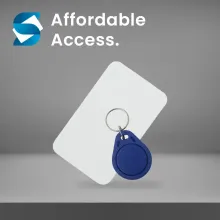
Access control cards must be programmed in a format your readers understand. Before ordering, find out your system manufacturer (for example Paxton, HID, PAC or TDSi), the card format and frequency, and any site or facility codes. ID Card Centre’s bureau service prints and encodes technology cards including MIFARE, HID, Paxton, PAC, TDSi and Cotag, so one card can carry both your photo ID design and your access credential. Browse our access control cards and fobs, including Paxton, HID and MIFARE options.
Card materials
PVC
The standard choice. Affordable, bright print, suitable for most staff ID. Browse our blank ID cards.
Composite PVC and PET
More heat resistant and durable, recommended for cards used daily for many years or printed with retransfer printers.
Biodegradable and recycled cards
Lower environmental impact for organisations with sustainability targets. See our eco friendly cards.
Staff ID card design best practice
A staff ID card is read in a split second, often from across a room or by someone in a hurry. Good design puts the photo and name first, keeps everything else secondary, and makes the card readable for everyone.
Layout and orientation
- Portrait or landscape
- Portrait cards hang straighter on a lanyard and give more room for a large photo, which is why they are popular for staff ID. Landscape suits clip-on badges and cards with wide logos.
- Visual hierarchy
- Photo first, then name, then role. The name should be the largest text on the card after your logo.
- White space
- Leave clear margins so text is not lost under a card holder or punched slot.
- Slot punch position
- If cards will hang from a lanyard clip, mark the slot position on your design so it does not cut through text or the photo.
Accessibility
Accessible cards are easier for everyone to read, including colleagues and visitors with sight loss.
- Font
- Use a clear sans serif typeface. Clear print guidance from the Sensory Trust recommends a minimum of 12pt Arial, ideally 14pt, for printed materials.
- Contrast
- Maximise contrast between text and background, such as dark text on a light background. Avoid placing text over photos or busy patterns.
- Don’t rely on colour alone
- If you colour code access levels, also add a word or symbol (for example “CONTRACTOR”) so people with colour vision deficiency can tell cards apart.
- Tactile features
- A notch or raised corner can help visually impaired staff orient the card for readers.
Photo standards
Set a simple standard so every photo looks consistent: head and shoulders, facing the camera, plain light background, no sunglasses and good even lighting. Religious head coverings are fine as long as the face is visible. Replace photos every few years, or sooner if someone’s appearance changes significantly.
Security features
For higher security sites, add features that are hard to copy:
- Holographic overlays or holopatch foils
- UV ink visible only under ultraviolet light
- Microtext or fine line background patterns
- Unique card numbers checked against your records
These make counterfeit cards much easier to spot and much harder to produce.
How to print staff ID cards: outsourced vs in-house
There are two ways to produce staff ID cards: send your designs and data to a specialist printing bureau, or buy an ID card printer and print them yourself. Most organisations issuing fewer than a few cards a week find outsourcing simpler, while larger or fast-moving workforces often benefit from printing on site.
| Factor | Outsourced bureau printing | In-house ID card printer |
|---|---|---|
| Upfront cost | None | Printer, software and setup |
| Cost per card | Fixed per card, falls with volume | Cards and ribbons only, lowest at high volume |
| Speed for a new starter | Days, depending on delivery | Minutes |
| Print quality | Professional, consistent | Depends on printer and operator |
| Encoding access cards | Handled by the bureau | Needs an encoding module and setup |
| Staff time | Minimal | Design, printing and maintenance |
| Best for | Small teams, one-off batches, occasional reprints | Regular starters, multiple sites, visitor passes, urgent replacements |
Outsourcing to a printing bureau
With a bureau service, you send a spreadsheet of names and a folder of photos, approve an artwork proof, and receive finished cards ready to wear. ID Card Centre’s card printing bureau handles single cards up to orders of thousands and offers a print on demand service where your design is held on file and cards are printed as new staff join. Many simple orders can be turned around the same day.
Printing staff ID cards in-house
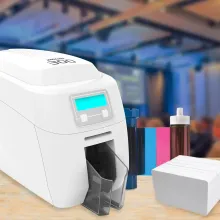
An ID card printer gives you full control and same day cards for new starters or lost card replacements. When choosing a printer, consider:
- Direct to card vs retransfer
- Direct to card printers are affordable and fast. Retransfer printers print onto a film that is bonded to the card, giving edge-to-edge images and better results on access control cards with uneven surfaces. Compare direct to card printers and retransfer printers.
- Single or dual sided
- Dual sided printing lets you put return details, barcodes or conditions of use on the back. See our dual sided printers.
- Encoding
- Add a magnetic stripe or smart card encoder if cards need to work with access control.
- Lamination
- A protective overlay extends card life for heavy daily use. See our laminating printers.
- Software
- ID card software lets you design templates, import staff data and capture photos with a webcam.
Read ID Card Centre’s guide to plastic card printing for a deeper look at printers, consumables and set up. You will also need printer ribbons and blank cards that match your printer, or you can try printer rental before you buy.
The hybrid approach
Some organisations combine both. The bureau pre-prints cards with your fixed design and any encoding, and you personalise them in-house as needed. This keeps the professional look of a bureau card with the speed of on-site printing.
Lanyards, card holders and accessories
How a card is worn matters as much as what is printed on it. The right accessories keep cards visible, protect them from wear, and can add another layer of identification through colour and branding.
Lanyards
- Plain or printed
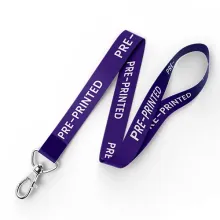
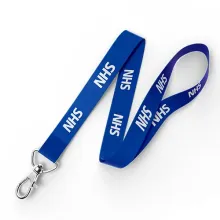
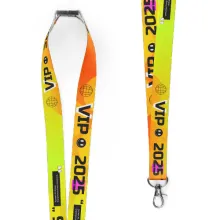
- Printed lanyards with your logo or a word such as “STAFF” or “VISITOR” make roles visible from a distance, even when the card has flipped round. Browse our plain lanyards and personalised lanyards.
- Safety breakaways
- A breakaway clip at the neck releases under pressure. It is strongly recommended for anyone working with machinery, in healthcare, in schools or with people who may grab at a lanyard.
- Colour coding
- Use a different lanyard colour for staff, contractors, visitors and first aiders so groups are easy to tell apart.
- Sustainable materials
- Recycled PET and bamboo lanyards are available for organisations with environmental targets.
Avoid lanyard designs that could be confused with the Hidden Disabilities Sunflower, a recognised symbol that someone may need extra support. If you support the scheme, make the official Sunflower lanyard available to staff who choose to wear it, and never make it compulsory.
Card holders
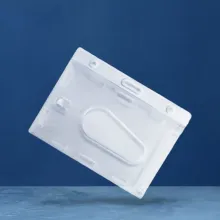
Rigid holders
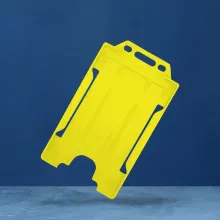
Protect cards from bending and scratching, ideal for heavy daily use.
Soft flexible holders
Cheaper and lighter, fine for occasional use.
Double sided holders
Show both sides of the card, or hold a staff card and an access card together.
RFID blocking sleeves
Stop access cards being read without the holder’s knowledge when not in use.
See our full range of ID card holders.
Badge reels and clips
Retractable badge reels (often called yoyos) let staff tap an access reader without removing the card and are popular in healthcare and offices. Strap clips and magnetic clips are an alternative for staff who do not want to wear a lanyard.
Armbands
Armband holders keep ID visible on sleeves, which suits security, events, sports and roles where anything round the neck is a hazard.
Managing staff ID cards: from issue to return
A staff ID card system is only as strong as the process behind it. Counter terrorism guidance makes the same point: an expensive access control system is of little use if there are weak checks on who gets a pass in the first place. A simple, written card lifecycle closes those gaps.
The staff ID card lifecycle
- Verify: Complete identity and right to work checks before issuing any card.
- Approve: A named manager confirms the role, the card type and any access permissions.
- Issue: Print or order the card, record the card number against the employee, and get a signature on collection.
- Use: Staff wear the card visibly at all times on site and challenge anyone without one.
- Review: Check access permissions when someone changes role, and reissue cards at a set interval or when photos are out of date.
- Revoke and return: On the last working day, deactivate access rights, collect the card and record its return.
- Destroy: Shred or securely recycle returned and damaged cards.
Lost and stolen cards
Make reporting easy and blame free, so people report losses straight away. Deactivate a lost access card immediately, issue a temporary pass, and print a replacement. Recording each loss helps spot patterns, such as one site losing far more cards than others.
Leavers and contractors
Uncollected cards from leavers are one of the most common security gaps. Add card return to your leaver checklist, link it to final pay or equipment return processes, and give contractor cards an expiry date that matches the contract.
Data retention and secure disposal
Keep card records, including photos, only for as long as you need them, and set out retention periods in your data protection policy. The ICO’s guidance on keeping employment records covers retention and security in more detail. PVC cards cannot go in normal recycling bins, and cards carrying names and photos should never go in general waste. ID Card Centre offers a secure card recycling service that handles old cards safely.
Explore our ID card guides and products
This guide is the starting point for everything ID cards at ID Card Centre. Use the links below to go deeper on each topic.
Guides
Printing and printers
Access and visitors
Ready to get started?
Contact the ID Card Centre team for expert, no obligation advice on the right staff ID card solution for your organisation.
About the Author

Ben O'Brien
Managing Director
Ben O’Brien is the Managing Director of ID Card Centre and a recognised authority in complex access control applications and eco-friendly identification solutions. Since entering the ID card printing industry in 1998, Ben has led countless projects across sectors, combining deep technical knowledge with a commitment to sustainability and innovation. Under his leadership, ID Card Centre continues to set standards for secure, efficient, and environmentally conscious ID systems.