

















































- Stock: In Stock



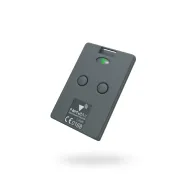
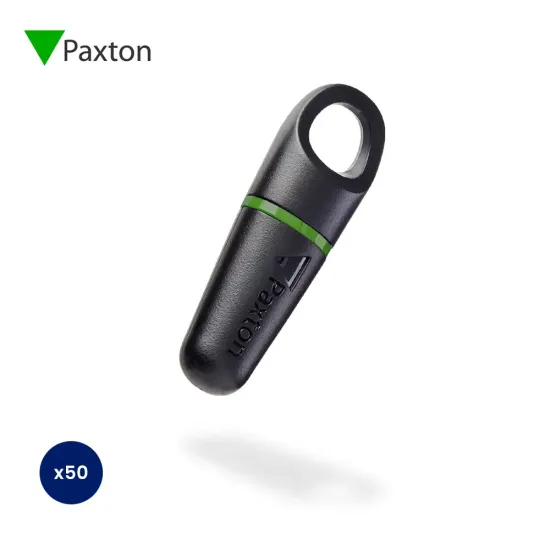
Paxton Switch 2 Proximity Keyfob (Pack of 50)
Easy to Use and a Lifetime Guarantee Paxton Switch 2 Keyfob Pack!
Manufacturer: Paxton
MPN PAX-820-050G
Pack Size: 50 (also available as a pack of 10)
Product Type: Keytags/Keyfobs, Proximity fobs
Technology: Switch2
Format: ISOProx
Frequency: 125kHz
About Paxton Switch 2 Proximity 50 Keyfob Pack
- Use with Compact and Switch2 systems
- Keyfobs have a lifetime guarantee
- All users are valid after enrolment
- A lost card can be voided with a shadow card
- Additional packs can be added easily
- Simple function cards are included
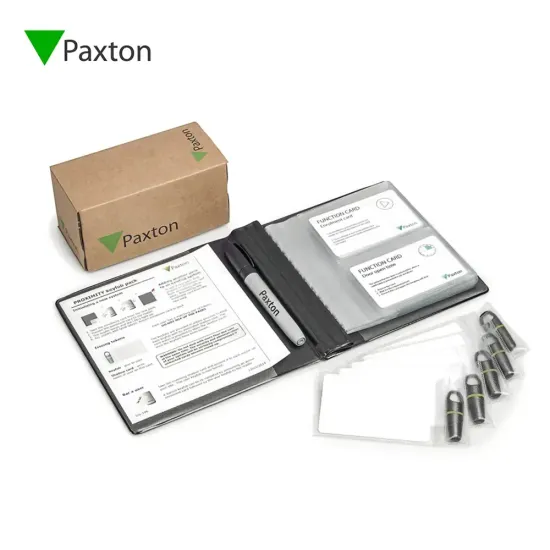
About - PROXIMITY keyfob packs are for use with PROXIMITY compact, Easyprox compact and Switch2 systems. An intuitive "shadow card" system is used for ease of management. The keyfobs are supplied with a wallet for storing the shadow cards.
Operation - Each keyfob is packaged with a corresponding shadow card. Once installation of the system is complete all user keyfobs are valid and ready to be issued. To issue a keyfob, remove it from the wallet and write the name of the user on its corresponding shadow card. The user may now use their keyfob to gain access. This process is repeated for all users. If a keyfob needs to be invalidated, the corresponding shadow card is removed from the wallet and presented to any relevant readers on the site. This invalidates the keyfob.

This product is made of a type of plastic which is not commonly recycled in the UK. It therefore cannot be disposed of in your normal recycling refuse collection.
We recommend taking it to your local recycling centre for a securer and more eco-friendly disposal.
Installation Instructions for Paxton Switch 2 Proximity Keyfob
Initialising a new system:
1. Take the Enrolment card from the new pack.
2. Present the Enrolment card to the reader.
3. The reader beeps and the LED's light up.
4. All users are now valid. Keep the Enrolment card safe as you will need the card to add more fobs in the future.
Adding another pack to an existing system:
In order to add another pack to an existing system, you will first need to present the Enrolment card from an existing active pack. Once that is complete follow by presenting the Enrolment card from the new pack.